
Exporting org-roam notes to Hugo and Quartz
I use Org Mode for note taking and tracking purposes.
Recently I have also made the switch to Org Roam, that is great extension to Org Mode, which leverages the Zettlekasten method for organizing and linking your notes.
I have also found this approach quite useful and intuitive once you start using it. Being able to establish relationships between your notes and then inspect them by looking at the backlinks is quite useful.
There are plenty of resources about org-roam available, so if you are just
starting out I’d suggest checking out the Org Roam Manual,
and the Build a Second Brain in Emacs with Org Roam guide for a good overview.
In this post we will see how we can export our existing org-roam notes to
Markdown, which can then be served by a static-site generator like
Hugo or Quartz.
My Emacs configuration for org-mode looks like this.
(use-package ox-pandoc
  :ensure t
  :after ox)

(use-package ob-go
  :ensure t
  :after ox)

(use-package ox-hugo
  :ensure t
  :after ox)

(defun dnaeon/set-creation-date-heading-property ()
  "Sets the CREATED property on each org-mode heading"
  (save-excursion
    (org-back-to-heading)
    (org-set-property "CREATED" (format-time-string "%Y-%m-%d %T"))))

(use-package org
  :defer t
  :init
  ;; (setq org-src-preserve-indentation t)
  (require 'ob-shell)
  (require 'ob-lisp)
  (require 'ob-python)
  (require 'ob-go)
  (org-babel-do-load-languages
   'org-babel-load-languages
   '((shell . t)
     (lisp . t)
     (python . t)))
  :config
  (add-hook 'org-insert-heading-hook #'dnaeon/set-creation-date-heading-property))
It is a pretty simple and standard setup. I like to have a timestamp associated
with each org-mode heading, and the dnaeon/set-creation-date-heading-property takes
care of that.
When creating a new heading using org-insert-heading-respect-content or
C-<enter> we automatically have the CREATED property like in the example
below.
* TODO Just another entry
:PROPERTIES:
:CREATED:  2026-02-23 13:14:20
:END:

Something useful.
My org-roam configuration looks like this.
(defun dnaeon/org-set-created-property ()
  "Sets the CREATED property when a new org-roam node is created"
  (org-set-property "CREATED" (format-time-string "%Y-%m-%d %T")))

(defun dnaeon/tag-new-org-roam-node-as-draft ()
  "Tags org-roam nodes as draft"
  (org-roam-tag-add '("draft")))

(use-package org-roam
  :defer t
  :bind
  (("C-c n f" . org-roam-node-find)
   ("C-c n i" . org-roam-node-insert)
   ("C-c n t" . org-roam-buffer-toggle)
   ("C-c n g" . org-roam-graph)
   ("C-c n c" . org-roam-capture)
   ;; Dailies
   ("C-c n d" . org-roam-dailies-capture-today))
  :config
  ;; Display mtime for nodes
  (cl-defmethod org-roam-node-mtime ((node org-roam-node))
    (format-time-string "%Y-%m-%d %T" (org-roam-node-file-mtime node)))

  ;; A method to display the :CREATED: property from each node when browsing the
  ;; org-roam nodes. In order to display the :CREATED: property add the
  ;; following to the ORG-ROAM-NODE-DISPLAY-TEMPLATE var.
  ;;
  ;; (propertize "${created-property}" 'face 'org-date)
  (cl-defmethod org-roam-node-created-property ((node org-roam-node))
    (cdr (assoc-string "CREATED" (org-roam-node-properties node))))

  ;; Add CREATED property to each org-roam node
  (add-hook 'org-roam-capture-new-node-hook #'dnaeon/org-set-created-property)

  ;; Add a `draft' tag to each newly created node, until we remove it.
  (add-hook 'org-roam-capture-new-node-hook #'dnaeon/tag-new-org-roam-node-as-draft)

  ;; Richer context information when browsing nodes
  (setq org-roam-node-display-template (concat
                                        "${title:80} "
                                        (propertize "${mtime}" 'face 'org-date)
                                        "  "
                                        (propertize "${tags:25}" 'face 'org-tag)))

  ;; Configure path to database and notes
  (setq
   org-roam-directory (file-truename "~/Projects/docs")
   org-roam-db-location (file-truename "~/.emacs.d/org-roam.db"))

  (setq-default
   org-roam-capture-templates
   '(("d" "default" plain "%?" :target (file+head "notes/%<%Y>/%<%m>/${slug}.org" "#+title: ${title}\n") :unnarrowed t)
     ("e" "encrypted" plain "%?" :target (file+head "notes/%<%Y>/%<%m>/${slug}.org.gpg" "#+title: ${title}\n#+filetags: :gpg:encrypted:\n") :unnarrowed t)))

  ;; Configure what sections to display in the org-roam buffer.
  ;;
  ;; https://www.orgroam.com/manual.html#Configuring-what-is-displayed-in-the-buffer-1
  (setq org-roam-mode-sections
        '((org-roam-backlinks-section :unique t)
          org-roam-reflinks-section
          ;; #'org-roam-unlinked-references-section
          ))

  ;; Enable automatic database sync or invoke manually via `M-x org-roam-db-sync'
  (org-roam-db-autosync-mode))
My org-roam-capture-templates contain two templates – one for regular notes,
and another one for encrypted GPG notes.
All notes reside in the /path/to/docs/notes/YYYY/MM/<note>.org path. I prefer
organizing my notes in a timestamped directory structure, but that is a personal
preference. The nice thing about org-roam (or capture templates in org in
general) is that you can tweak it to your personal needs.
Upon creating a new note I use a hook to add the CREATED property, similar to
the other hook for regular org files and headings. Another hook takes care of
adding a draft tag to newly created notes, which is manually removed once I’m
done with the note. This helps me keep track of things I need to go back and
work on.
I also use a couple of functions for
Customizing Node Completions
via the org-roam-node-mtime and org-roam-node-created-property functions.
This is what it looks when browsing the list of notes via consult and marginalia.

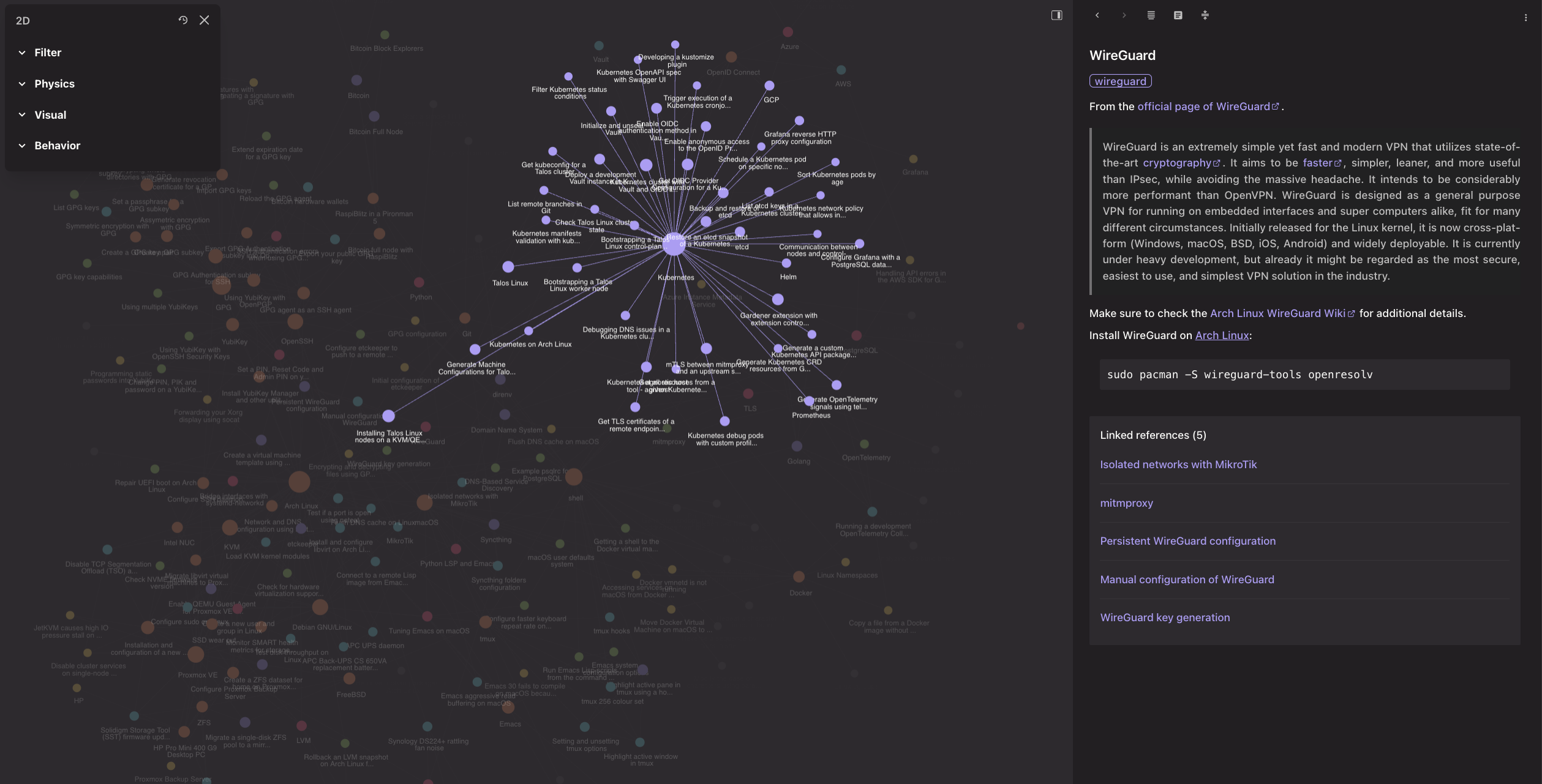
A nice addition to org-roam is the graphical frontend
org-roam-ui, with which you can
browse and read your notes.
At the time of writing this post this is what the graph of my notes looks like.
Other Emacs packages that I’ve found useful when working with org-roam (or
org-mode in general) include
org-transclusion,
org-ql,
consult-org-roam and
org-roam-ql.
Whenever I need to export my notes and share them with others I might create a single note composed of multiple, standalone notes using org-transclusion, and then export it using ox-pandoc or another exporter, depending on what the audience of the document would be.
We can also export our org-roam notes in Markdown format, which can then be
served by a static-site generator like Hugo. The
ox-hugo exporter does exactly this, and I also
use it in order to self-host my notes on an internal system.
Other options include Org Mode Publishing.
My workflow for publishing notes usually involves two repos – one repo contains
my org-roam notes, which is specifically being used for storing and tracking
my notes only. And then I also use a second repo, which contains static-site
generator specific configurations and files.
I prefer keeping them separate, because I don’t want to pollute my main
org-roam notes repo with anything else, which would simply consume these
notes. This also allows me to experiment with different static-site generators
without causing too much noise in the main notes repo.
So, how do I get the notes from the org-roam notes repo to the static-site
generator repo?
Well, I use an Emacs Lisp script,
which iterates through each org-roam node and exports it via ox-hugo. However, there were a few
issues I have faced.
The first one is related to the date-metadata, which is associated with each
entry. ox-hugo expects that your org contain various File-level properties,
in order to produce a valid front matter for Hugo.
Since all of my org-roam notes already contain the CREATED property, then
the ideal solution would be for ox-hugo to use that when generating the Hugo
front matter.
Unfortunately ox-hugo does not support mapping properties to front-matter variables. But with
Advising Emacs Lisp Functions
we can implement a function that affects the org-mode export environment, which ox-hugo uses in
order to generate the Markdown document.
The following advice function pushes the :date property to the org export
environment. This property represents the date property from the Hugo
front-matter. If needed, we can also push the :hugo-publishdate and
:hugo-lastmod properties, which correspond to publishDate and lastmod
properties respectively.
;; All my org-roam notes contain the `CREATED' property, which specifies the
;; creation date of the note. This wrapper adds the `:date' property to the
;; export environment, which `ox-hugo' will use when exporting to Markdown.
(defun org-export-get-environment/add-date (orig-fun &rest args)
  (let ((env (apply orig-fun args))
        (created (org-entry-get nil "CREATED")))
    (plist-put env :date created)))

(advice-add 'org-export-get-environment :around #'org-export-get-environment/add-date)
Another issue I have faced when using ox-hugo is related to how links between
notes are generated. Since my notes reside in the notes/YYYY/MM/ directory
structure, when exporting them ox-hugo would generate invalid links, in the
form of ../MM/some-note.md.
This is documented in this issue about broken links when exporting. Since the final Markdown documents, which will be served by Hugo (or Hugo-compatible service), we can implement the following hook, which strips away the directory part of the generated link.
;; My org-roam capture templates store the notes in `notes/YYYY/MM' directory
;; structure.
;;
;; When exporting to Markdown via `ox-hugo' the resulting links are invalid,
;; because they would point to `../MM/filename.md'.
;;
;; Since all files are being exported to the `$HUGO_BASE_DIR/content/notes'
;; directory we are simply stripping any leading directories from the filenames
;; here, in order to have valid links.
(defun org-export-resolve-id-link/strip-directory (val)
  (car (last (file-name-split val))))

(advice-add 'org-export-resolve-id-link :filter-return #'org-export-resolve-id-link/strip-directory)
Finally, we can assemble all the pieces together and automate the process of
exporting all of our org-roam notes using the script below.
#!/usr/bin/env emacs --script

;;
;; A utility script to export all my org-roam notes via `ox-hugo'
;;
;; The script expects the `HUGO_BASE_DIR', `ORG_ROAM_DIR' and `ORG_ROAM_DB' env
;; vars to be set.
;;
;; `HUGO_BASE_DIR' specifies the directory where org-roam nodes will be
;; exported.
;;
;; Upon successful completion the script produces the following directories.
;;
;; $HUGO_BASE_DIR/content/notes - contains the generated Markdown files
;; $HUGO_BASE_DIR/static/ox-hugo - contains static files, e.g. images
;;
;; In order to serve the notes generated by the script simply sync the Markdown
;; files and static files from the directories above to your Hugo installation.
;;

(dolist (env-var '("HUGO_BASE_DIR" "ORG_ROAM_DIR" "ORG_ROAM_DB"))
  (unless (getenv env-var)
    (error (format "%s env var is not set" env-var))))

(require 'package)
(package-initialize)

(require 'org)
(require 'cl-lib)
(require 'ox-hugo)

(use-package org-roam
  :ensure t
  :config
  ;; Configure path to the org-roam database and notes
  (setq
   org-roam-directory (file-truename (getenv "ORG_ROAM_DIR"))
   org-roam-db-location (file-truename (getenv "ORG_ROAM_DB"))))

;; My org-roam capture templates store the notes in `notes/YYYY/MM' directory
;; structure.
;;
;; When exporting to Markdown via `ox-hugo' the resulting links are invalid,
;; because they would point to `../MM/filename.md'.
;;
;; Since all files are being exported to the `$HUGO_BASE_DIR/content/notes'
;; directory we are simply stripping any leading directories from the filenames
;; here, in order to have valid links.
(defun org-export-resolve-id-link/strip-directory (val)
  (car (last (file-name-split val))))

(advice-add 'org-export-resolve-id-link :filter-return #'org-export-resolve-id-link/strip-directory)

;; All my org-roam notes contain the `CREATED' property, which specifies the
;; creation date of the note.
;;
;; This wrapper adds the `:date' property to the export environment, which
;; `ox-hugo' will use when exporting to Markdown.
;;
;; Additional keys that may be added here include `:hugo-publishdate',
;; `:hugo-lastmod', etc.
(defun org-export-get-environment/add-date (orig-fun &rest args)
  (let ((env (apply orig-fun args))
        (created (org-entry-get nil "CREATED")))
    (plist-put env :date created)))

(advice-add 'org-export-get-environment :around #'org-export-get-environment/add-date)

;; Iterate through the org-roam nodes and export each of them
(let* ((hugo-base-dir (file-truename (getenv "HUGO_BASE_DIR")))
       (hugo-static-dir (file-name-concat hugo-base-dir "static"))
       (org-roam-nodes (org-roam-node-list))
       (unique-roam-nodes (cl-remove-duplicates
                           org-roam-nodes
                           :key (lambda (node) (org-roam-node-id node)))))

  ;; ox-hugo expects that the $HUGO_BASE_DIR/static directory exists in advance.
  (unless (file-accessible-directory-p hugo-static-dir)
    (make-directory hugo-static-dir t))

  ;; Export each org-roam node
  (dolist (node unique-roam-nodes)
    (let ((node-title (org-roam-node-title node))
          (node-file (org-roam-node-file node)))
      (with-current-buffer (find-file-noselect node-file)
        (setq-local org-hugo-base-dir hugo-base-dir
                    org-hugo-front-matter-format "yaml"
                    org-hugo-section "notes"
                    org-agenda-files nil
                    org-export-with-broken-links t)
        (org-hugo-export-wim-to-md))))
  (message (format "Exported %d org-roam node(s)" (length unique-roam-nodes))))
You can also find the full script here.
Download the script and make it executable.
wget https://gist.githubusercontent.com/dnaeon/87427d319ae0b0a14bf7bf2bc0c49a77/raw/5034f599a2beb234c6bd28e67dba4f47b17f126d/export-roam-notes-to-hugo.el
chmod +x export-roam-notes-to-hugo.el
The script expects the following env vars to be provided.
HUGO_BASE_DIR- base directory of your Hugo siteORG_ROAM_DIR- directory, which contains yourorg-roamnotesORG_ROAM_DB- path to theorg-roamdatabase
In order to run the script either export the env vars, or pass them using
env, e.g.
env HUGO_BASE_DIR=/path/to/hugo \
    ORG_ROAM_DIR=/path/to/org-notes \
    ORG_ROAM_DB=/path/to/org-roam.db \
    export-roam-notes-to-hugo.el
Upon successful completion it will generate the following directories.
$HUGO_BASE_DIR/content/notes- contains the generated Markdown files$HUGO_BASE_DIR/static/ox-hugo- contains static files, e.g. images
At this point you can start up your Hugo instance and browse your org-roam
notes.
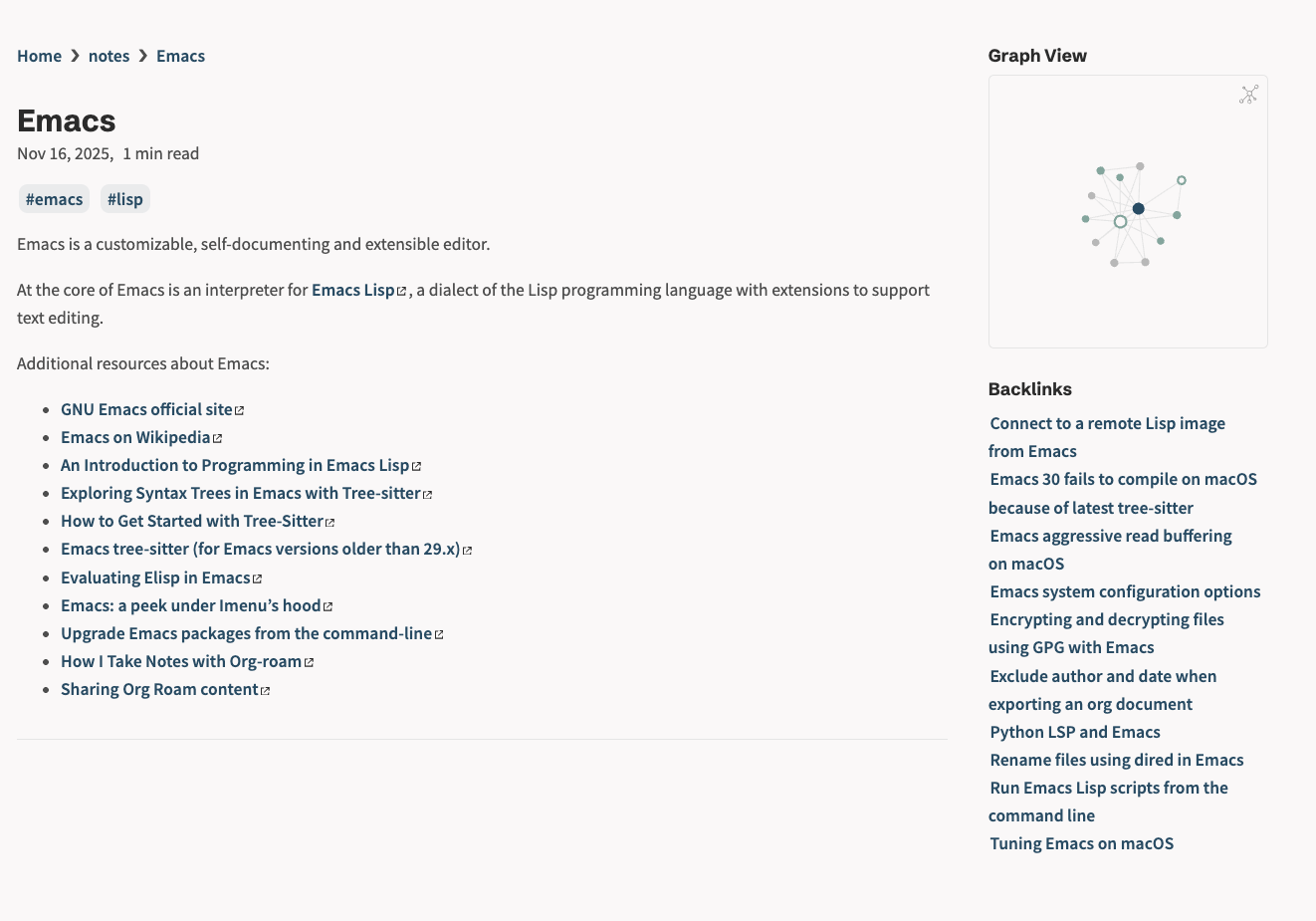
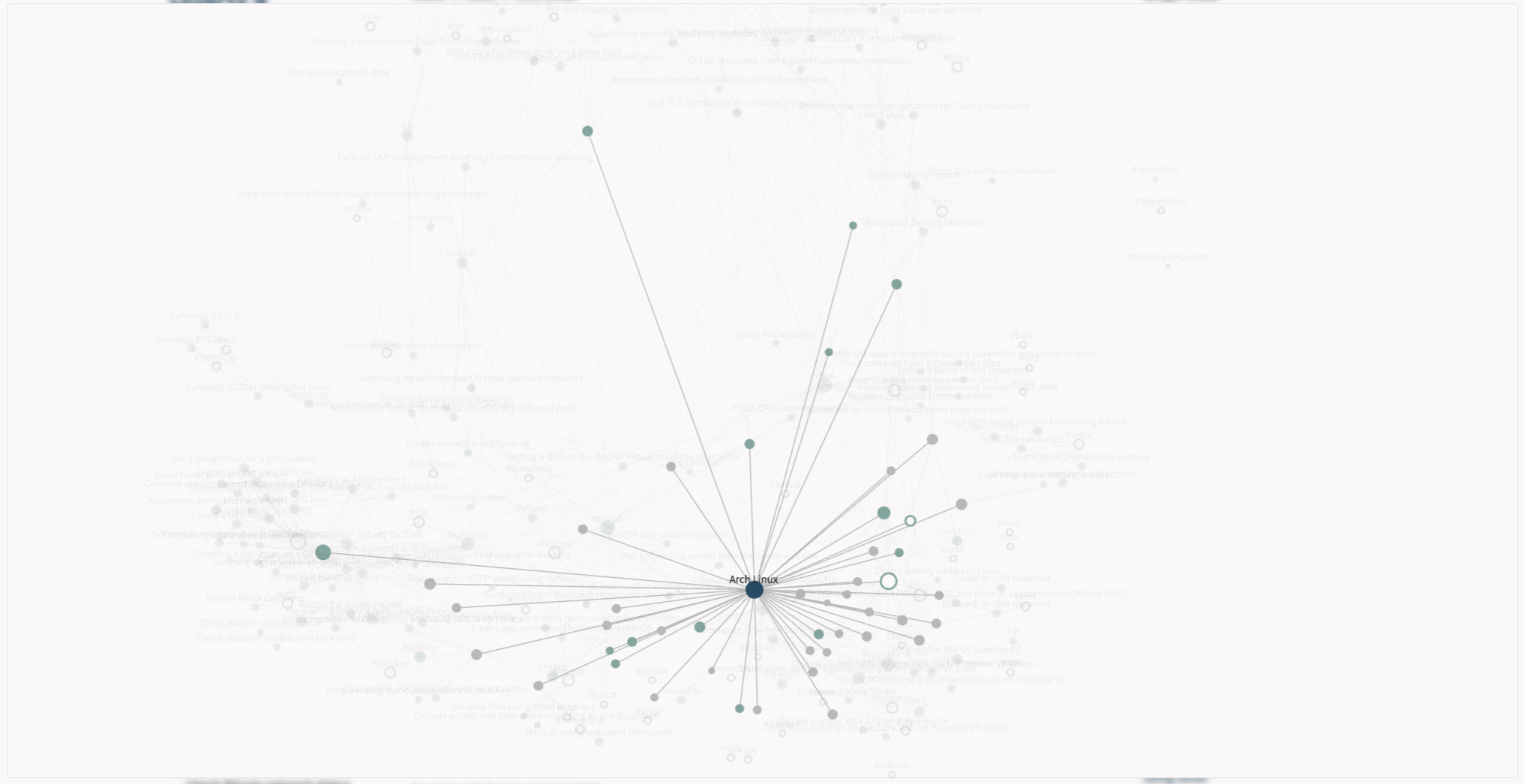
Another alternative to Hugo, which I actually like is Quartz. Quartz comes with plugins like Graph View, backlinks, and many others.
In case you are building a site to host your org-roam notes with Quartz you
should check out the Publish org-roam notes to personal wiki using ox-hugo and Quartz post,
which provides details on how to get started with Quartz.
Using the Emacs Lisp script from this post you can bulk-export your org-roam
notes and serve them with Quartz. One thing to keep in mind is that when syncing
your generated Markdown files and static files you need to copy them here.
$HUGO_BASE_DIR/content/notes- needs to be synced at$QUARTZ_BASE_DIR/content/notes$HUGO_BASE_DIR/static/ox-hugo- needs to be synced at$QUARTZ_BASE_DIR/content/ox-hugo
After that, simply start your Quartz instance using the command below.
npx quartz build --serve
Here is an example of Quartz serving my org-roam notes.
And here we can see the graph view of Quartz.
You can also deploy your site to any of the supported hosting providers.